Physics, code, art, captures, creatives, and blog notes arranged so you can actually get to know the work.
This homepage is a guided way into the portfolio. Instead of flattening everything into one generic reel, it opens six different rooms that show how technical rigor, visual practice, and personal reflection connect.
It is still personal, but it is clearer now: professors can read it academically, collaborators can scan it quickly, and curious visitors can move by interest.


The portfolio makes more sense when each kind of work gets its own page and the homepage focuses on navigation rather than compression.
That means Physics can stay analytical, Code can focus on tools and systems, Art can stay visual, Captures can stay observational, Creatives can mix poetry and music naturally, and Blog can keep the long-form thinking visible.
The result is simpler to browse and more consistent from page to page.
- Different page, one palette
- Each page gets its own color family and keeps it consistent across cards, frames, and accents.
- Compact navigation
- The sidebar stays short enough to fit without forcing a scroll-heavy experience.
- Responsive first
- Smaller phones now get tighter media sizing and less visual bulk.
Six focused pages, each tuned to a different part of the portfolio.

Models, dynamics, orbital thinking, and the notes that make physical intuition readable.
This page tracks research-style questions, simulation logic, and what the plots actually reveal.

Software tools, interfaces, and reusable systems that support the rest of the work.
This page is about implementation, tooling, and the practical side of building digital things that last.
Finished pieces, studies, and visual decisions worth preserving.
The art room keeps images and process notes close together.
Night-sky frames, observations, and visual captures with context.
The image and the conditions around it live on the same page.
Poetry, lyrics, demos, and fragments that do not fit cleanly into one medium.
This room holds the lighter, more hybrid side of the archive.
Long-form posts that explain rebuilds, process, and what changed.
When something needs full context, it belongs in the blog.
A few good entry points if you want the fastest route through the portfolio.

Start with the modeling page if you want the clearest look at how I reason through technical questions.
It is the strongest place to see questions, methods, and corrections in one frame.

The art room shows visual decision-making without turning the work into a silent gallery.
Good if you want a more image-led route through the portfolio.
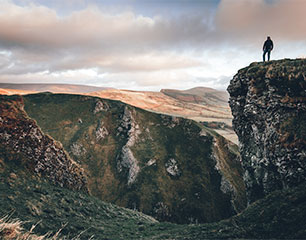
Captures keeps visual observation grounded in place, patience, and timing.
Useful when you want the observational side of the work, not just technical or studio pieces.
The portfolio keeps moving, so the notes matter almost as much as the polished pages.
-
18 Mar 2026
Reframed the site around Discover Me and a clearer six-page structure.
The new layout makes the navigation easier to understand and keeps the visual language more consistent from room to room.
-
14 Mar 2026
Logged another modeling pass after the constraints started behaving honestly.
The useful version of a project often starts when the model stops making itself look prettier than it is.
-
11 Mar 2026
Kept a capture note instead of only saving the final frame.
The context around the image often becomes the most valuable part later.
If you want the academic route, try Physics -> Code -> Blog.
If you want the broader picture, move through Art, Captures, and Creatives afterward. That route shows how the technical and personal sides of the work keep informing each other.
GitHub is still the easiest public doorway, and the pages themselves should already do most of the introduction work.
The portfolio is meant to show how I think across different mediums, not just what I finished. If you want to continue the conversation, GitHub is the most reliable public link right now.
- Main audiences
- Professors, collaborators, and anyone who wants a more complete picture than a standard portfolio provides.
- Page set
- Physics, Code, Art, Captures, Creatives, and Blog.
- Visual direction
- Consistent page-specific color families, smaller mobile media, and a simpler navigation rhythm.